

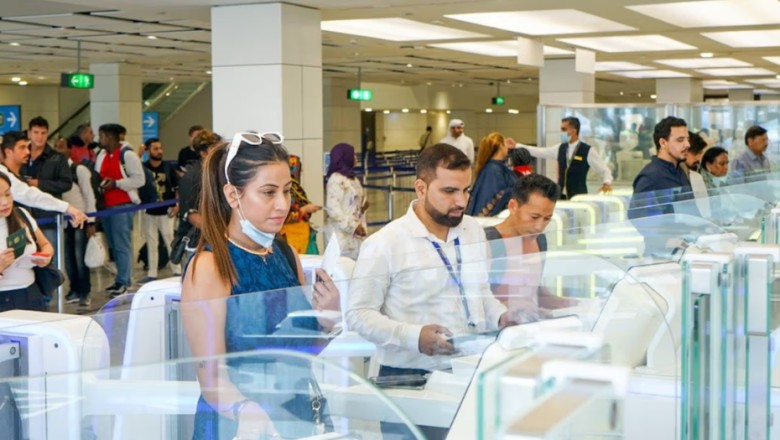

GDRFA Dubai provides an online tool that allows travellers to verify whether their biometric and identity data are registered in the Smart Gate database
For travel managers, corporate mobility teams, and frequent flyers operating in and out of the UAE, Smart Gates have become an essential tool for streamlining airport immigration and improving traveller experience. The UAE’s Smart Gate system at Dubai International (DXB) and Al Maktoum (DWC) airports uses facial recognition and biometric technology to clear eligible passengers through passport control in seconds, without manual document checks.
However, to benefit from this contactless, high-speed experience, you must first be registered in the Smart Gate system. Whether you’re preparing travel itineraries for executives or managing cross-border mobility for staff, here’s how to confirm your status before departure.
GDRFA Dubai provides an online tool — Inquiry for Smart Gate Registration — that allows travellers to verify whether their biometric and identity data are registered in the Smart Gate database. This prevents last-minute surprises at immigration and helps travel teams advise passengers ahead of time.
For corporates and mobility managers, knowing a traveller’s Smart Gate status can reduce delays at immigration points, improve schedule planning, and ensure compliance with UAE entry requirements. Registered travellers enjoy a near-instant clearance process, which can be particularly valuable during peak travel seasons or tight itineraries.
Visit the official GDRFA Smart Gate inquiry page
Navigate to the Inquiry for Smart Gate Registration service on the GDRFA Dubai website.
Choose your identification method
Users can check status using:
File number (found on visa stickers or e-visas)
UDB/Unified ID number or Emirates ID
Passport number, with nationality and date of birth details.
Enter personal details
Supply the traveller’s date of birth and gender, complete the captcha, and submit. GDRFA will return whether the record is registered for Smart Gates.
Interpret the result
If the response confirms registration, the traveller can use Smart Gates at Dubai airports. If not, the system may require the traveller to pass through standard immigration first — which often triggers biometric enrolment for future use.
Not every traveller is eligible to use Smart Gates, even if registered. GDRFA’s guidelines specify that:
Registered passengers must be at least 1.2 metres tall, and
Typically include UAE and GCC nationals, UAE residents, and certain visa categories (including visa-on-arrival and pre-issued visa holders).
For travel and mobility planners, ensure confirmed travellers meet these criteria — especially for international groups or families with children.
Once confirmed, using the Smart Gate experience is straightforward: stand in the designated area, remove face coverings like masks and glasses, and look at the green light for biometric verification. Upon successful recognition, the automated gate opens, dramatically reducing passport control time.
Read: Salik, Dubai Airports sign 10-year deal for e-wallet parking at DXB